QR Code Business Cards: The Complete Guide to Going Paperless in 2026
QR code business cards are replacing paper faster than anyone predicted. This complete guide covers how they work, why they convert better, and how to create yours for free in under 2 minutes.
Md Rasel islam
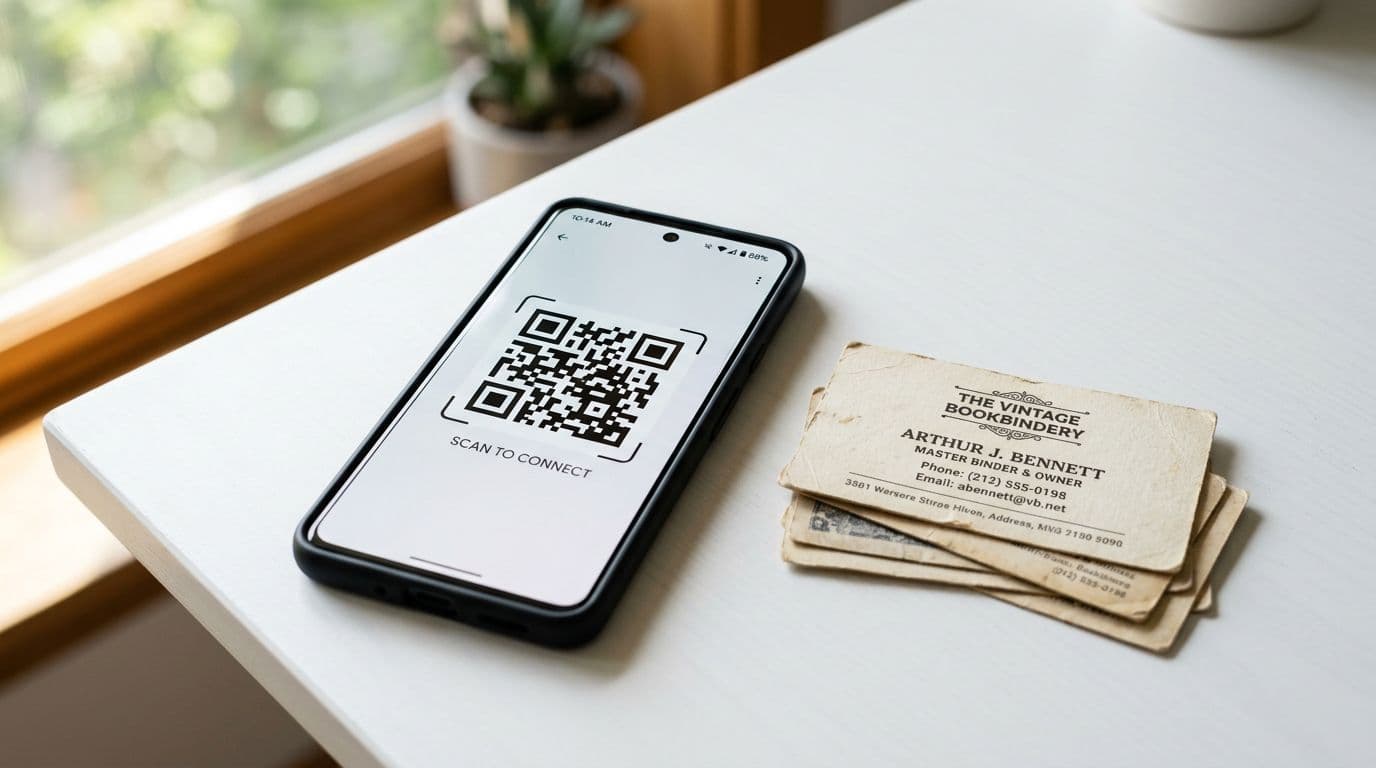
QR Code Business Cards: The Complete Guide to Going Paperless in 2026
Paper business cards have been around since the 17th century. QR code business cards are making them obsolete in less than a decade.
If you've ever handed someone a paper card and wondered whether they'd actually keep it, you already know the problem. 88% of paper business cards are thrown away within a week. QR code business cards solve this by putting your contact info directly on someone's phone — permanently.
Here's everything you need to know.
What Is a QR Code Business Card?
A QR code business card is a digital business card that can be shared by scanning a QR code. When someone scans your code with their phone camera, they instantly see your:
- Full name and title
- Phone number and email
- Company and website
- Social media profiles
- A "Save to Contacts" button
No app download required. No typing in phone numbers. One scan and they have everything.
QR Code Business Card vs. Paper: The Numbers
| Feature | Paper Card | QR Code Card |
|---|---|---|
| Cost per card | $0.05-0.50 | Free |
| Information capacity | Name, phone, email | Unlimited (links, social, portfolio) |
| Updatable | No (reprint needed) | Yes, instantly |
| Trackable | No | Yes (views, location, time) |
| Environmental impact | 7.2 million trees/year | Zero waste |
| Conversion to saved contact | ~12% | ~68% |
| Lead capture | No | Yes, automatic |
The numbers aren't close. QR code business cards outperform paper in every category.
How QR Code Business Cards Work
Step 1: Create Your Digital Card
Sign up for a platform like BizLinker (free). Add your details:
- Name, title, company
- Contact information
- Social media links
- Profile photo and logo
- Choose a color theme
This takes about 2 minutes.
Step 2: Get Your QR Code
Your platform automatically generates a unique QR code linked to your digital card. You can:
- Display it on your phone screen
- Print it on physical materials (brochures, name badges, table tents)
- Add it to your email signature
- Put it on your laptop or phone case
Step 3: Share by Scan
When you meet someone, they open their phone camera, point it at your QR code, and tap the link that appears. Your full digital card loads instantly in their browser.
Step 4: They Save Your Contact
One tap on "Save to Contacts" adds you to their phone's address book with all your details. No manual typing. No mistakes.
Step 5: You Track the Results
With analytics built into your digital card, you can see:
- How many people scanned your code
- When they viewed your card
- Whether they saved your contact
- How often they come back to view it
This is information paper cards simply cannot provide.
5 Ways to Use Your QR Code Business Card
1. Conferences and Trade Shows
Display your QR code on your phone, badge, or booth banner. Attendees scan as they walk by — you capture leads even when you're in a conversation with someone else.
2. Email Signature
Add your QR code to your email signature. Every email you send becomes a networking opportunity. Recipients can scan to save your full contact info instantly.
Use our free email signature builder to create one with your QR code built in.
3. Social Media Profiles
Post your QR code on LinkedIn, Instagram, or Twitter. Your followers can save your contact info without you ever sharing your phone number publicly.
4. Physical Materials
Print your QR code on:
- Business card paper (as a hybrid card)
- Presentation slides
- Product packaging
- Restaurant menus (for business owners)
- Vehicle wraps or signage
5. Virtual Meetings
Drop your QR code in the Zoom chat or display it on screen during virtual calls. Remote networking made easy.
QR Code vs. NFC Business Cards
You might have heard of NFC (Near Field Communication) business cards — physical cards with an embedded chip that transfers data when tapped against a phone.
Here's how they compare:
| Feature | QR Code Card | NFC Card |
|---|---|---|
| Cost | Free | $15-50 per card |
| Range | Camera distance (any) | Must physically tap (1-2 inches) |
| Compatibility | All smartphones | Not all phones support NFC |
| Updatable | Yes | Depends on provider |
| No physical card needed | Yes | No (requires physical NFC card) |
| Analytics | Yes | Varies |
Our recommendation: QR codes are more versatile, cheaper, and work universally. NFC is a nice-to-have but isn't necessary.
Best Practices for QR Code Business Cards
Keep Your Card Updated
One of the biggest advantages of digital cards is that you can update them anytime. Changed jobs? New phone number? Update once and everyone who has your card sees the new info.
Use a Professional Photo
Cards with a profile photo get 40% more engagement than those without. Use a clear, professional headshot — not a company logo.
Include a Clear Call-to-Action
Don't just list your contact info. Tell people what to do next:
- "Book a free consultation"
- "Visit my portfolio"
- "Connect on LinkedIn"
Test Your QR Code
Before any event, scan your own QR code to make sure it works. Test on both iPhone and Android. Make sure the page loads fast and looks good on mobile.
Track and Follow Up
The whole point of a digital card is the data. Check your analytics after events. See who viewed your card and follow up within 24 hours while you're still fresh in their memory.
How to Create Your QR Code Business Card (Free)
- Go to BizLinker — sign up for free
- Fill in your details — name, title, contact info, social links
- Choose a theme — pick from 12 professional color themes
- Upload your photo and logo — make it personal
- Get your QR code — automatically generated, ready to share
- Start sharing — display on your phone, print it, add to email
The entire process takes under 2 minutes. Your card is live immediately.
Frequently Asked Questions
Do people need an app to scan my QR code?
No. Every modern smartphone (iPhone and Android) can scan QR codes using the built-in camera app. No download needed.
Can I update my card after sharing?
Yes. Any changes you make are reflected instantly. People who previously saved your card link will always see your latest information.
Is my information secure?
You control what information is visible on your card. You can show as much or as little as you want. Your email and phone number can be hidden behind a "request contact" form.
Can I have multiple QR code business cards?
With BizLinker's free plan, you get 1 card. The Pro plan ($3/month) gives you unlimited cards — perfect if you have multiple roles or businesses.
The Future Is QR
Paper business cards had a good run. But in a world where every phone is a scanner and every contact should be trackable, QR code business cards aren't just better — they're inevitable.
Don't wait for your next event to figure this out. Create your free QR code business card now and be ready to share it the next time opportunity knocks.
Try our free QR code generator or learn more about why digital cards are replacing paper.